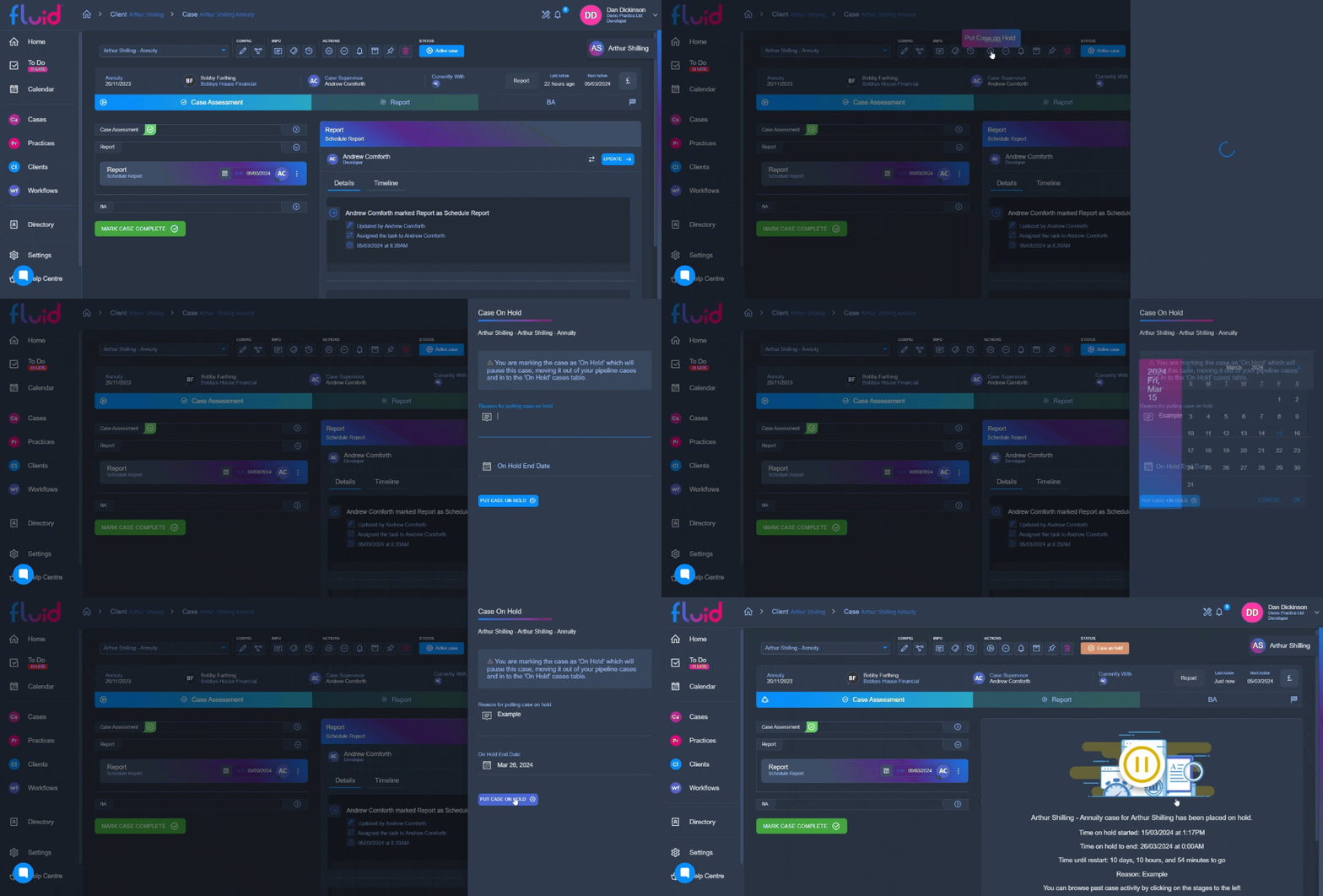
Putting a case on hold allows you pause work on a case for a while and move it to a date in the future. At the end of the allotted time set, the case will reopen.
Putting a case on hold is easy, simply click on the pause icon under "Actions" on the top bar of the case profile page, this will bring up the on hold menu.
From the on hold menu you can enter the reasoning for the case going on hold, and pick a date you would like the case to resume.