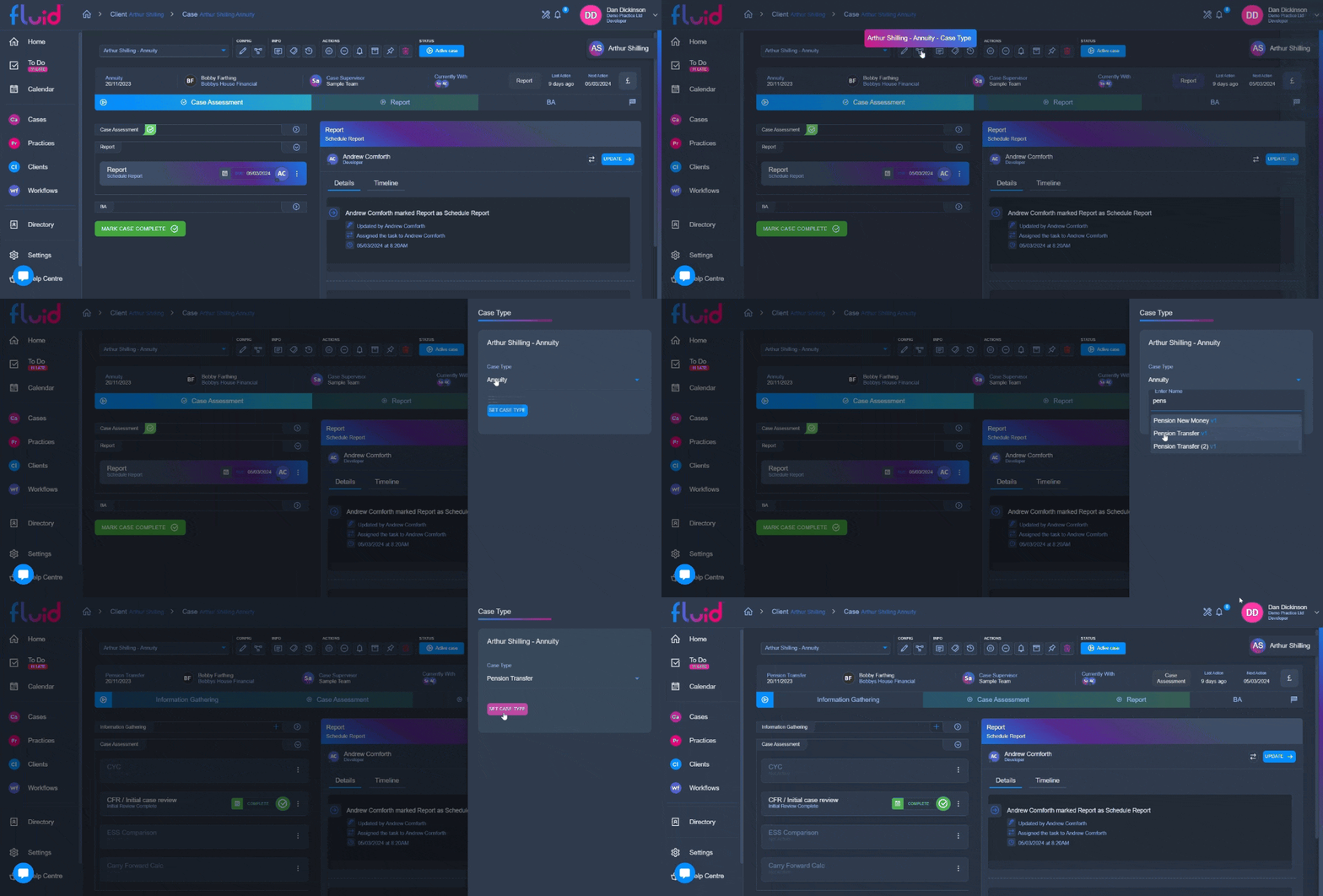
To change the workflow on a existing case, simply click on the "case type" button under config on the top bar of the case page, select the wanted case type, and click save.

It's important to note when doing this, any stages from the previous workflow that are not present on the newly selected workflow will be made inactive and hidden.